

Description
- Use your Site Settings to white label WordPress automatically.
- Customize admin login page by multiple options.
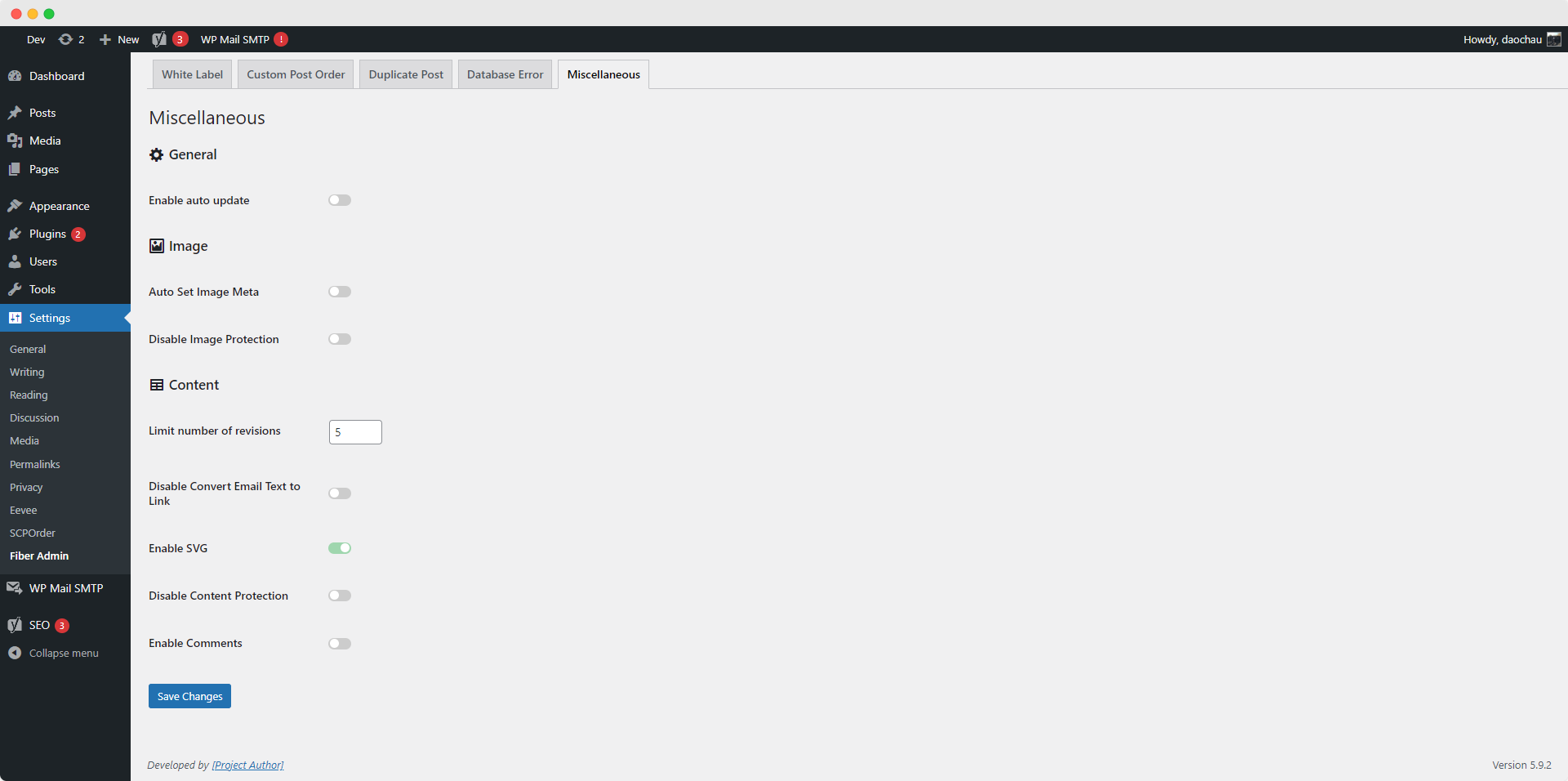
- Set Image Metadata automatically after uploading.
- Convert plain email text into link automatically.
- Enable SVG support.
- Drag and drop post types / taxonomies order.
- Duplicate post types with single item or bulk action.
- Protect your site image by disable right click / drag image into html page (only for non-admin users).
- Protect your site content by disable these following keys: Ctrl / Cmd + S, Ctrl / Cmd + A, Ctrl / Cmd + C, Ctrl / Cmd + X, Ctrl / Cmd + Shift + I (only for non-admin users).
- Disable WordPress comments & WordPress Automatic Updates completely as default.
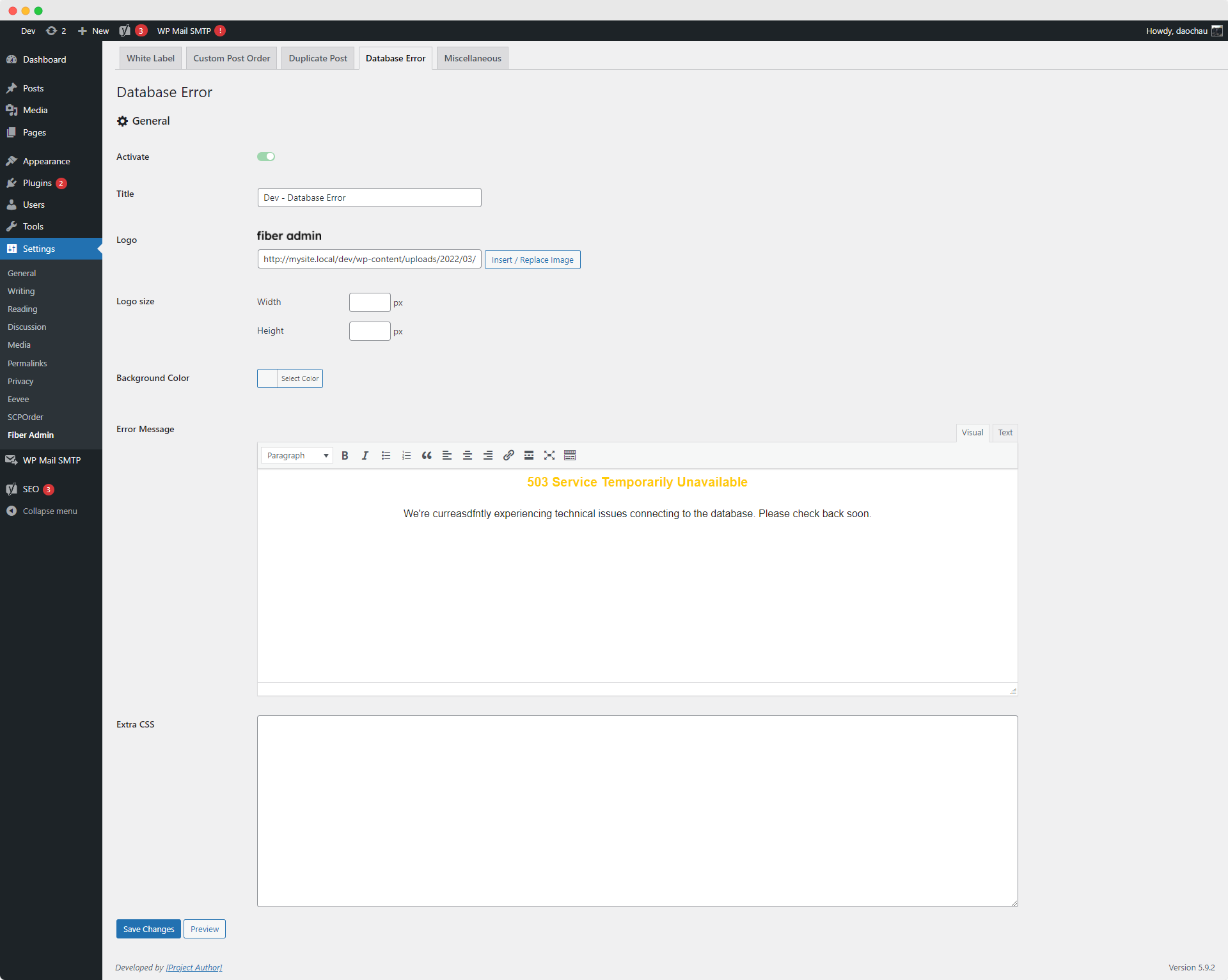
- Customize 503 Database Error page.
Screenshots


Installation
- Install either via the WordPress.org plugin directory, or by uploading the files to your server.
- Go to CMS admin plugins list and activate the plugin.
- Go to Fiber Admin setting page and update the options.
FAQ
-
Why can’t I save the settings for Customized WordPress Database Error page?
-
At the first time using this setting, Fiber Admin will ask you to save it to create the db-error.php file. When your site has some security plugins like Sucuri or Wordfence Security…, these plugins will have an option to prevent file editor. All you need is whitelist wp-content/db-error.php from plugin setting.
Reviews
There are no reviews for this plugin.
Contributors & Developers
“Fiber Admin” is open source software. The following people have contributed to this plugin.
Contributors
Translate “Fiber Admin” into your language.
Interested in development?
Browse the code, check out the SVN repository, or subscribe to the development log by RSS.
Changelog
4.0.0
Release Date – 18 September 2026
- Changed: Redesign settings page header and tab navigation to align with core WordPress admin style.
- Added: Donate link in the settings page header.
- Changed: Use core-style image fields with width/height inputs and icon-overlay remove link for White Label logo and background image.
- Added: Minimum size enforcement and recommended dimensions for the White Label background image.
- Changed: Split White Label Login fields and Background Color/Image into grouped sections, with Admin Toolbar toggle moved next to Hide WordPress Branding.
- Changed: Replace multi-select with a checkbox list for Post/Taxonomy Order settings, listing core post types and taxonomies before custom ones.
- Added: Database Error page now inherits colors and fonts from the active theme.
- Fixed: Database Error page no longer guesses Google Fonts for custom/self-hosted fonts.
- Changed: Split Database Error settings fields into grouped sections.
- Fixed: Core admin notices no longer break the settings page header layout.
- Changed: Upgrade SVG Sanitizer to v1.0.0.