
Description
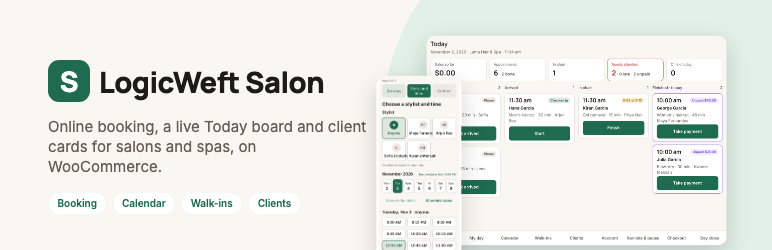
LogicWeft Salon turns a WooCommerce site into a salon system: clients book services and stylists online, the front desk runs the day from a tablet, stylists see their day on a phone, and the owner closes the day with numbers that match WooCommerce.
Services are WooCommerce products and appointments are WooCommerce orders, so your gateways, taxes, coupons and reports keep working, and retail products go in the same cart as a haircut.
Free includes
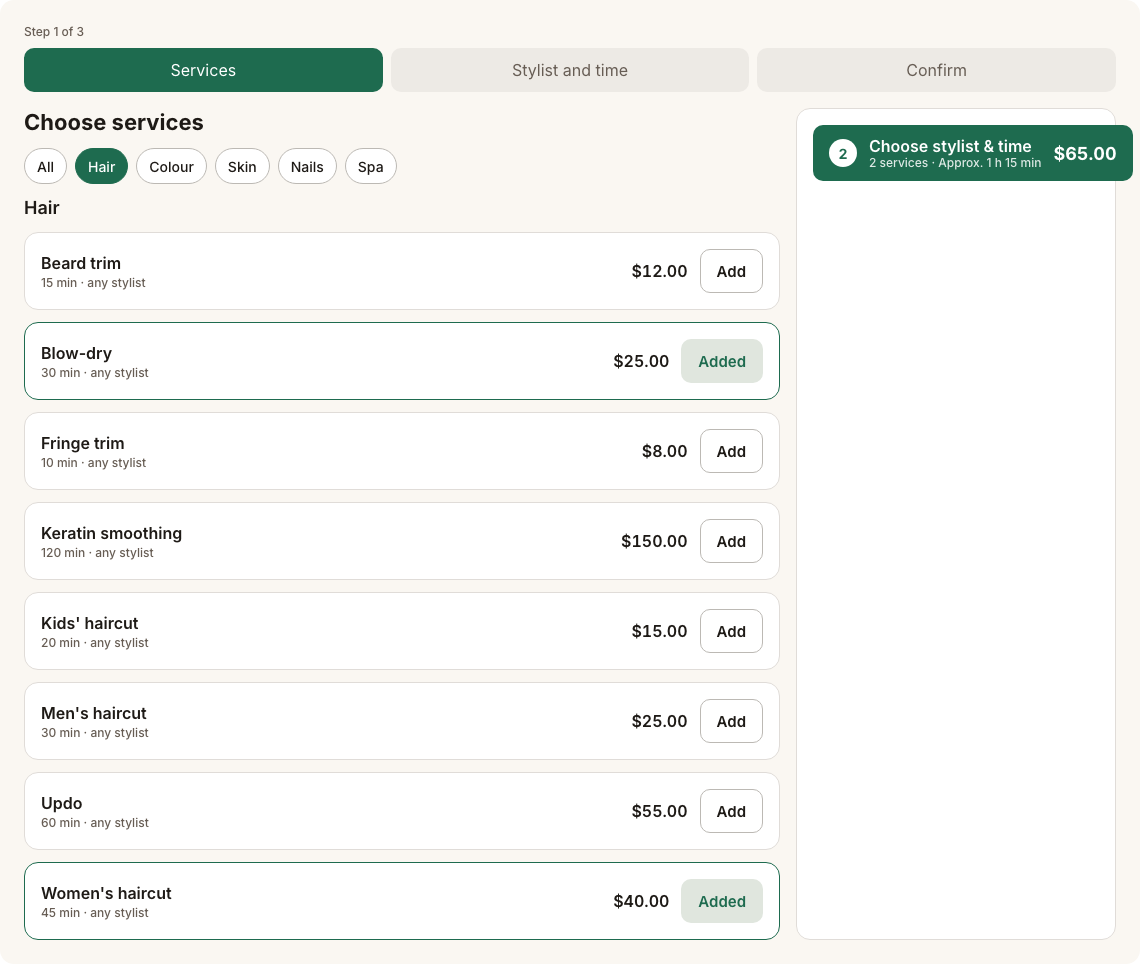
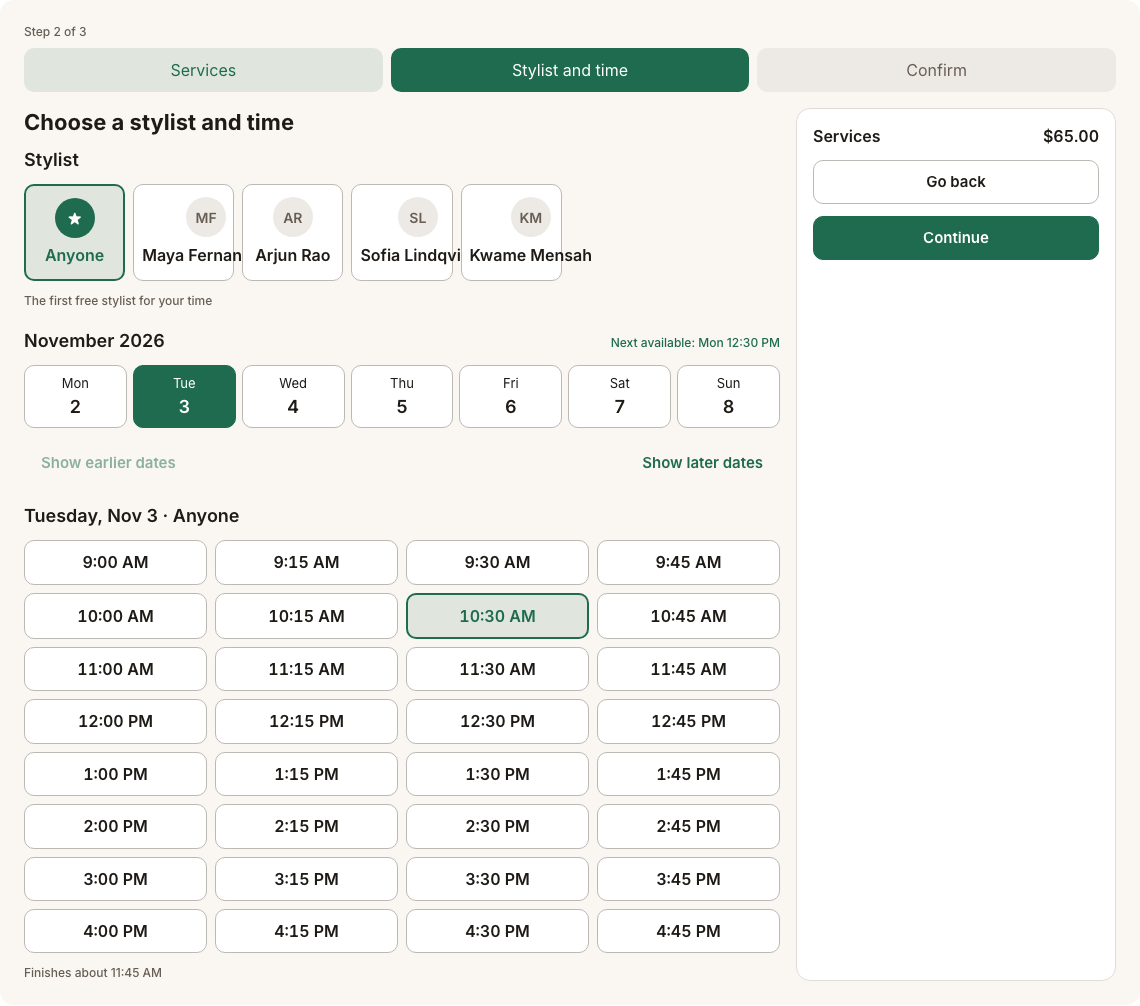
- Online booking: services, add-ons, stylist choice or “anyone”, back-to-back slots, guest booking
- Full prepayment or pay at the salon, cancellation policy and windows
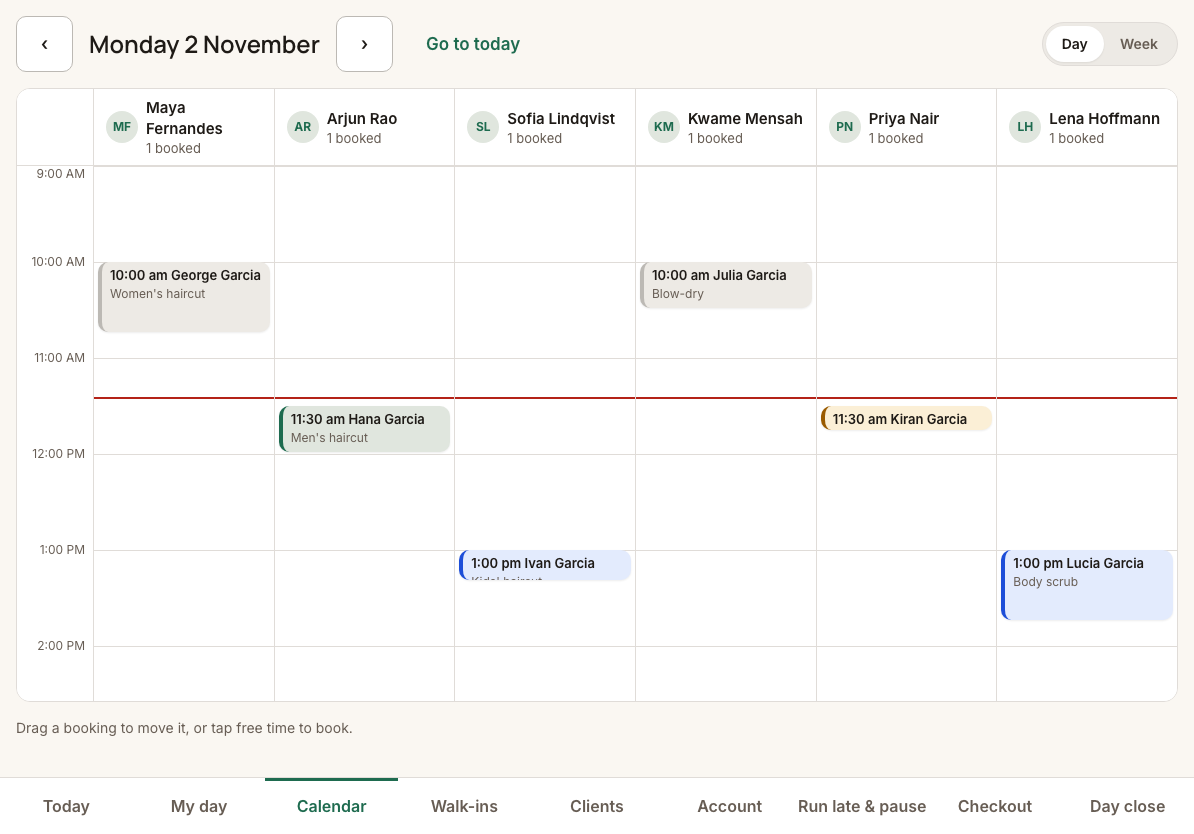
- Operator App: Today board, calendar by staff, walk-in queue, stylist My day, run-late and pause
- Client cards with history, notes and allergy banner
- Day close and today dashboard
- Waitlist, QR walk-in join page and My Account bookings with reschedule and cancel
- Setup wizard with optional demo data; WP-CLI demo commands
- Booking emails through WooCommerce, with .ics and Google Calendar links
- Palette presets and appearance settings; Elementor widgets, blocks and shortcodes
- Translation-ready with RTL support
Everything listed above is included, with nothing locked.
External services
LogicWeft Salon does not send data from your site to any outside service, and it loads no remote scripts, styles or fonts.
Google Calendar (link only)
The booking confirmation page and the confirmation email show an “Add to Google Calendar” link. Nothing is sent when the page loads. Only when a client clicks the link, their browser opens calendar.google.com with the appointment’s service name, time, salon name and address in the link, so Google can pre-fill a calendar event. The same page also offers a downloadable .ics file, which stays on your site.
* Google Terms of Service: https://policies.google.com/terms
* Google Privacy Policy: https://policies.google.com/privacy
Source code
The JavaScript and CSS in assets/ are compiled. Their human-readable source ships with the plugin in apps/: the booking widget (apps/booking), the Operator App and its service worker (apps/operator), the Appearance screen (apps/admin), the shared stylesheets (apps/ui) and the shared Operator App shell, components and design tokens (apps/wc-ops-core-ui), written in TypeScript and React.
To rebuild assets/ from that source, use Node.js 20 or newer and pnpm 9 or newer in the plugin folder:
pnpm install && pnpm build
The build uses Vite, TypeScript, React and vite-plugin-pwa, as listed in the package.json files. The PHP code is not compiled.
Third-party libraries
JavaScript, compiled into assets/ (source in apps/):
- React, React DOM and scheduler (MIT).
- Workbox 7 (MIT), with idb (ISC), in the Operator App’s service worker.
Fonts:
- Inter and Manrope variable fonts (SIL Open Font License 1.1), packaged by Fontsource and bundled, so no font is loaded from another site. Their licences are in
licenses/.
PHP: the plugin’s shared WooCommerce operations library (GPLv2 or later, by the same author) ships in vendor-prefixed/ under the LogicWeft\Salon\Vendor namespace, so it cannot clash with another plugin’s copy.
Screenshots


Blocks
This plugin provides 1 block.
- Salon booking The LogicWeft Salon booking widget: services, stylist and time, confirm.
Installation
- Install and activate WooCommerce.
- Upload and activate LogicWeft Salon.
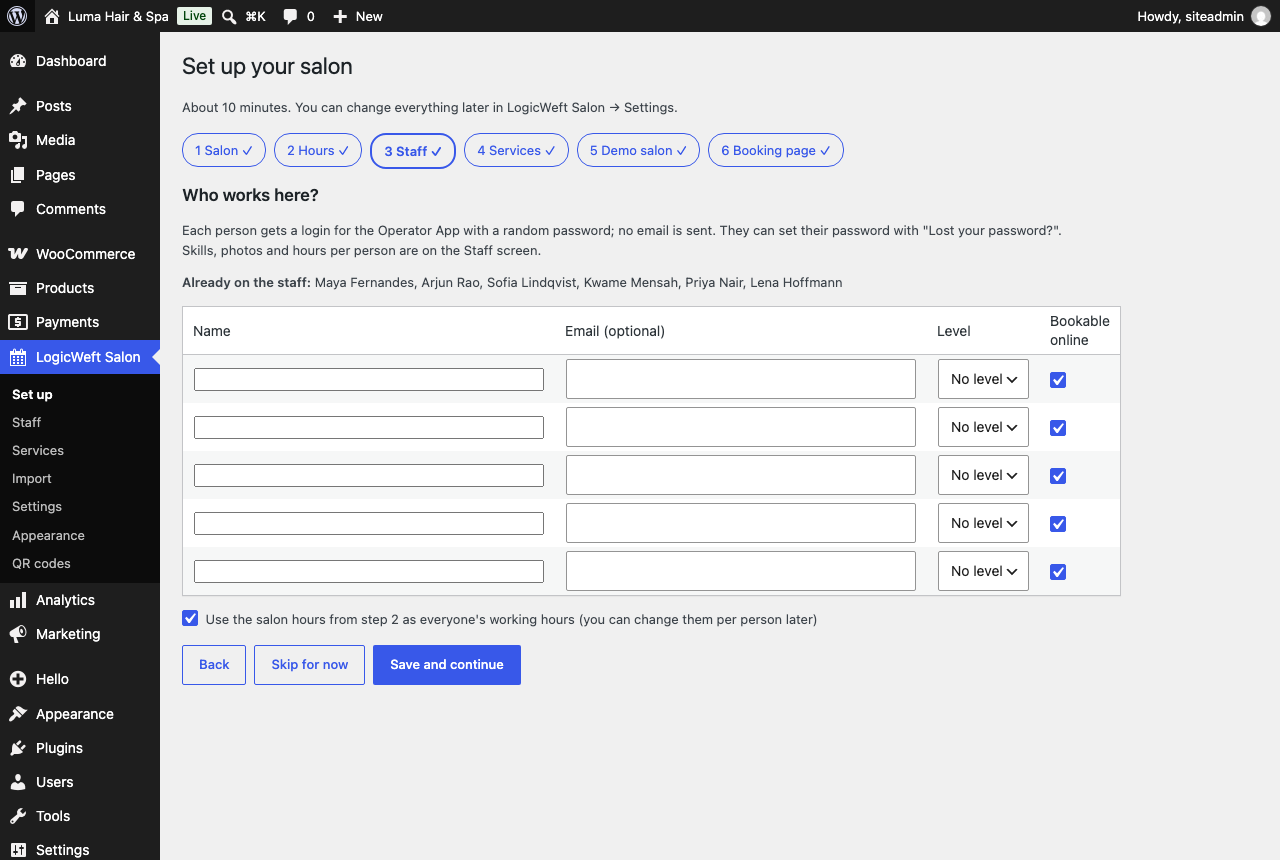
- Follow the setup wizard: salon details, hours, staff, services, booking page, look.
FAQ
-
Does it work with my theme?
-
Yes. The booking widget inherits your theme’s fonts by default and sizes itself to its container; the Operator App has its own screen.
-
What is the difference between Free and Pro?
-
This plugin is complete on its own: booking, front desk, stylist screens, client cards and day close, with nothing locked. A separate paid add-on for deposits, packages, memberships, gift cards, commissions and SMS/WhatsApp reminders is planned; it is not needed for anything this plugin does.
-
Do I need WooCommerce?
-
Yes. Services are WooCommerce products and appointments are WooCommerce orders, so WooCommerce 9.5 or later must be active.
-
Can clients book without an account?
-
Yes. Clients can book as guests; clients with an account also see their appointments under My Account.
-
Does it send SMS or WhatsApp messages?
-
Not in Free. Free sends WooCommerce emails for booked, rescheduled, cancelled and reminder messages.
Reviews
There are no reviews for this plugin.
Contributors & Developers
“LogicWeft Salon – Booking, Front Desk & Day Close for WooCommerce” is open source software. The following people have contributed to this plugin.
Contributors
Translate “LogicWeft Salon – Booking, Front Desk & Day Close for WooCommerce” into your language.
Interested in development?
Browse the code, check out the SVN repository, or subscribe to the development log by RSS.
Changelog
1.6.0
- New: a birthday on the client card (day and month; the year if the client gives it).
- New: client cards keep each client’s visits, last visit and spend as appointments are paid and refunded, so client lists can filter by them; existing clients’ figures fill in once after the update.
- New: client search also finds a client by any of their other phone numbers.
- New: Tools Export Personal Data and Erase Personal Data include salon client cards. An erased card keeps its appointments for your records, without the client’s details.
- Developers:
ClientQueryfor filtered client lists,ClientRepository::merge()with theclient/mergedaction, theclient/tabsfilter, the Operator App slotsclient.panels,client.tabs,client.formulasandmyDay.client,Import\HeaderMapfor importers, and a booking widgettime.pickerfill gets the widget’s own times (grid) for the services it doesn’t handle. See docs/hooks.md.
1.5.1
- The booking widget’s confirm step shows the price an add-on works out for the booking, such as a party of three, and its payment choices are for that price.
- Developers: add-on options reach the payment quote, and the new
payment/quotehook lets an add-on set a booking’s price before it is booked. See docs/hooks.md.
1.5.0
- New: declining a booking request on the Today board asks for an optional reason, which goes in the cancellation email (the new
{reason}merge field) and the order notes. - New: the calendar has a Rooms view, one column per room or device, when your salon has rooms.
- New: services that need two stylists, or a room or device, hold every stylist and the room when booked online or at the front desk, and are booked on their own. Assisting stylists see these appointments in My day and the calendar. These services are set up by an add-on.
- New: a colour service’s processing time leaves the stylist free for another client while the colour processes, but keeps its room.
- Database update: appointments and their services gain columns for teams, rooms, processing time, groups and the waitlist. It runs once on updating.
- Developers: add-ons can answer the booking widget’s slot search, write several orders and appointments in one booking, ask the front desk to accept a booking first, hold time for staff and rooms, add calendar blocks and fill slots in the booking widget with their own script module. New hooks:
booking/options,booking/search,booking/initial_status,booking/plan,schedule/busy,calendar/blocksandbooking/modules. See docs/hooks.md.
1.4.1
- Fix: retail added to a ticket at the counter or on My day now leaves stock at once when the booking’s stock was already taken (an on-hold or paid order). Before, it never left stock, and a refund or cancellation could not put it back. Changing its quantity or removing it gives the difference back.
1.4.0
- New: edit a ticket at the counter. Add services, add-ons and retail by name, SKU or barcode (a barcode scanner, or the camera on Android tablets), change quantities and apply a coupon. A setting turns it off.
- New: the day close shows tips, in total and for each stylist.
- New: an owner or manager can reopen a closed day, with a reason, to correct a ticket. It closes again with fresh totals.
- New: closing the day is its own permission. Owners and managers have it.
- Fix: retail added on My day no longer recalculates the whole order, so a deposit or credit an add-on put on it stays right.
- Developers: add-ons can fill slots in the Operator App’s checkout and day close with their own script module (
logicweft_salon/operator/modules), record their own payments (Checkout::settle()), reopen a counter-paid ticket (Checkout::reopen()), and use the new hookscheckout/methods,checkout/lines_changed,day_close/order_payments,day_close/checks,day_close/closing,day_close/reopenedandappointment/reopened. See docs/hooks.md.
1.3.0
- Fix: a booking made by someone signed in now links the client’s card to their account only when it is their own booking, made with their account’s email, and never to a staff account. Before, staff who booked for a client while signed in were linked to that client’s card and could see the client’s appointments in My Account.
- Fix: a new client is no longer linked to a staff account that has the same email.
- On updating, client cards linked to a staff account are unlinked once. The cards and their history stay.
- The booking widget asks for its prices as the signed-in client, so add-ons can offer them their own options. Cached pages keep working.
- Developers: a counter ticket action’s code field can ask for letters (
mode: 'text'), for gift card codes.
1.2.0
- Developers: data-only hooks for add-ons: actions on the counter checkout ticket that can ask for a code or an amount, balances on the client card, their own notification events (sent through the salon’s templates and channels, with fields kept only while sending), and a course’s next session in the booking confirmation and on the manage page. The front desk app and booking widget show what an add-on adds through them.
- Nothing changes for salons that use no add-on.
1.1.0
- Developers: data-only hooks for add-ons: payment options (with a public quote of a basket’s options), a payment summary, extra actions on Today cards, client flags, late cancellation online, day-close sections and notification merge fields. The booking widget, manage page, My Account and front desk app show what an add-on adds through them.
- Nothing changes for salons that use no add-on.
1.0.2
- Developers: a
logicweft_salon/loadedaction, and a documented list of hooks.
1.0.1
- Fix: in a salon name such as “Hair & Spa”, the ampersand showed as an HTML code in the booking widget’s logo text and in test emails.
- A new salon now takes its name from the site title as plain text.
- The plugin’s home page is now https://salon.logicweft.com.
1.0.0
- First public release.
- Online booking: services, add-ons, stylist choice or “anyone”, back-to-back slots and guest booking, through WooCommerce checkout.
- Operator App for the front desk and stylists: Today board, calendar, walk-in queue, running late, My day, client cards, checkout and day close.
- Setup wizard, settings, appearance, a booking block, shortcodes and Elementor widgets.
- Staff can be added without a WordPress login and linked to a user later.